A dot when something is new
What's New on your account page carries a small dot when something has changed since you last looked here: a dot, never a number. Opening this page clears it.
Everything that changed in presentOS, newest first. Small steps, shipped in the open.
What's New on your account page carries a small dot when something has changed since you last looked here: a dot, never a number. Opening this page clears it.
Every change you would notice in presentOS now gets a line here, newest first, all the way back to the first version in March. Filter by the part of the app you use most, and send anyone the address of a single entry.
The reminder now comes the day before your show date and on the day itself, then stays quiet, and only for Things you are still carrying. Before, it repeated every evening after the date until an update met it.
A Thing's sessions can now show on its page for every reader, or stay private with one switch: new Things show them, older ones stay private until you choose. Who can see it, among the page's facts, says plainly who sees the Thing and its sessions, and a public Thing nobody supports yet offers a way to share it.
From the show day on, Mark as shown keeps the promise even when you showed your Thing somewhere other than here, and it counts toward the Kept the promise mark. The picker for the next date opens straight after.
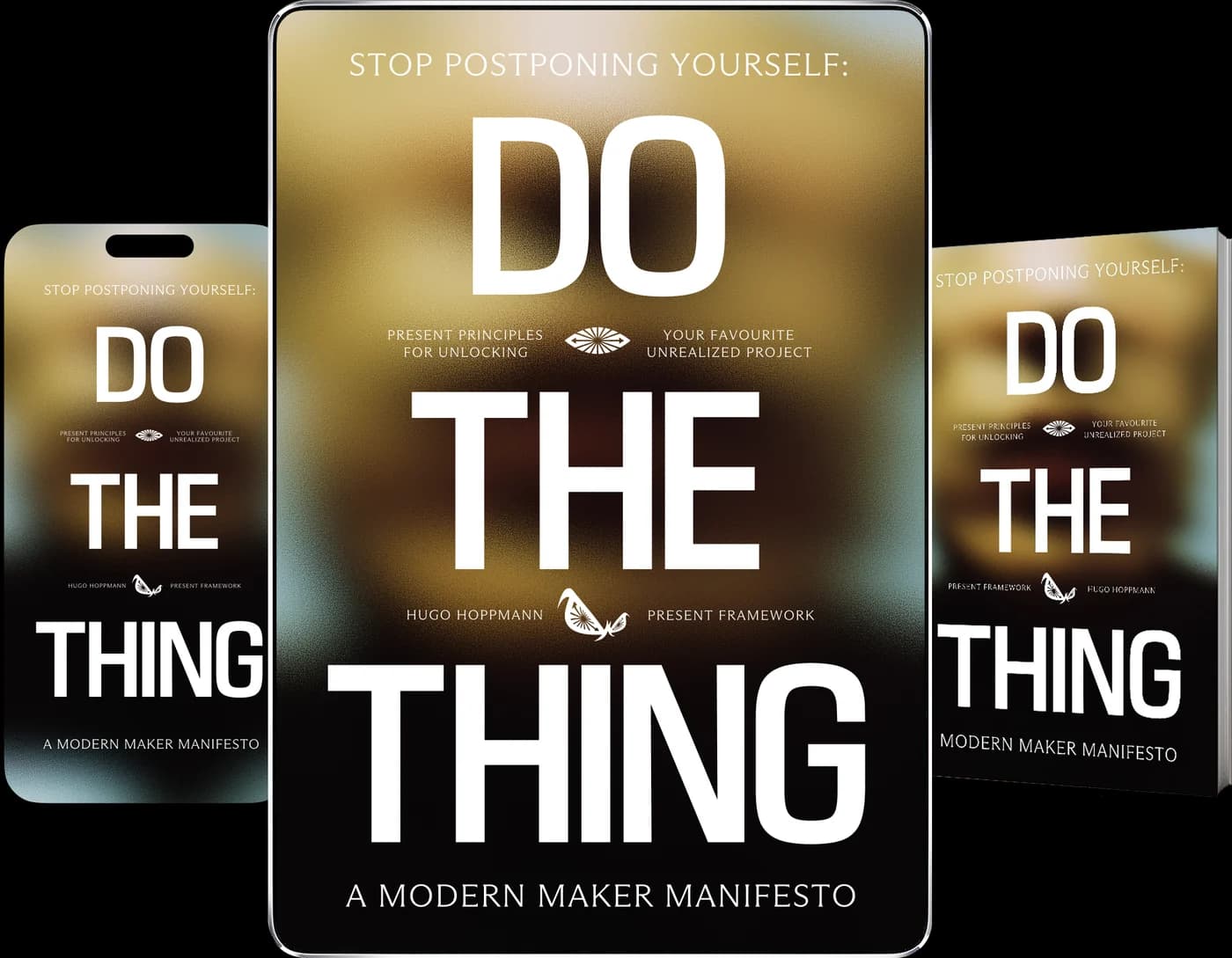
The book now reads as pages: drag one to turn it or just click, open the contents from the toolbar, and come back to where you stopped. On a phone it shows one page at a time, and the text follows the manuscript as it grows.
Change or delete what you wrote, and meet a message with one of six reactions, all of it showing up live in the conversation. Write from a Thing's page and the message carries that Thing as a small card. Links in messages are links now, and on a phone Enter starts a new line.
The organism your Flow sessions grow now lives on the Thing they were for, and every reader sees it on the Thing's page under Grown in flow. While you work on that Thing, the clock and the screen after a session draw the same one.
Open Messages from the header to write to anyone on presentOS by name, or use the Message button on a member's page or under the maker of a Thing. A dot says something is unread, never a number, and blocking works both ways. If you have no name yet, the app asks once what people should call you, so others can find you.
The Centering opens with about a third of the requests it used to make, every page carries less code and lighter fonts, and portraits arrive at the size they are shown. The Space graph and globe now move smoothly, on a phone too.
When a session ends you can write one line about what happened. It stays with the session, lands on your Thing's page as an update when the session was for one of your Things in progress, and the Centering reads your last day of work back in one line under your week.
Every Flow session you start under a Thing's name now joins that Thing, so the time you put in shows up on its page for you, a quiet row for each day on its line. A name you worked under before can be linked to a Thing by hand, and later sessions under that name follow it there. A name with no Thing yet can start one, and its sessions come along.
A Thing can ask for eyes, feedback, a hand, a talk, a tester or a push, with a line on what exactly, and people answer with their face. Each Thing can also say what kind it is, and /things can now be sorted and filtered by what Things need, their kind and who makes them.
Arrive, under the play mark on /flow and on the Centering, takes you through twelve breaths from the essay Take a Vacation in the Present and ends on the choice to start for five minutes, which starts the clock. When a session ends, the gong now strikes three times and comes back every half minute until you look, for up to five minutes.
A small mark beside the Thing field on the Centering and on /flow opens a list of your Things, and the list narrows as you type. A tap picks one, and the suggestion that completes your typing now waits for the third letter and holds still under your hand.
When a Thing is done, Mark as shipped closes it. A moment names the doubt that shows up right after, so you can thank it and let it pass, then the Thing moves to the Shipped section of /things and everyone who supported it hears.
Seven marks now follow the work on Things: putting one in the open, writing its first update, keeping a show date, ten replies under other people's updates, standing behind five Things, and shipping one, then three. They show on member pages and at /marks.
Before a session on /flow, one optional question asks what Resistance is telling you right now. The answer is kept with the session and never shown back to anyone.
Give a Thing a show date, the day you will share where it is, and the app reminds you the day before and on the day. Add a dream deadline, and Sensei can suggest the steps toward it, which you rewrite as you like.
Turn them on under Notifications on your account page: once a week the app asks how your Thing is going, unless you posted that week, and what Resistance tried. You answer the second in one line at /reflection, kept for you, and Sensei draws on it only when you ask about your week.
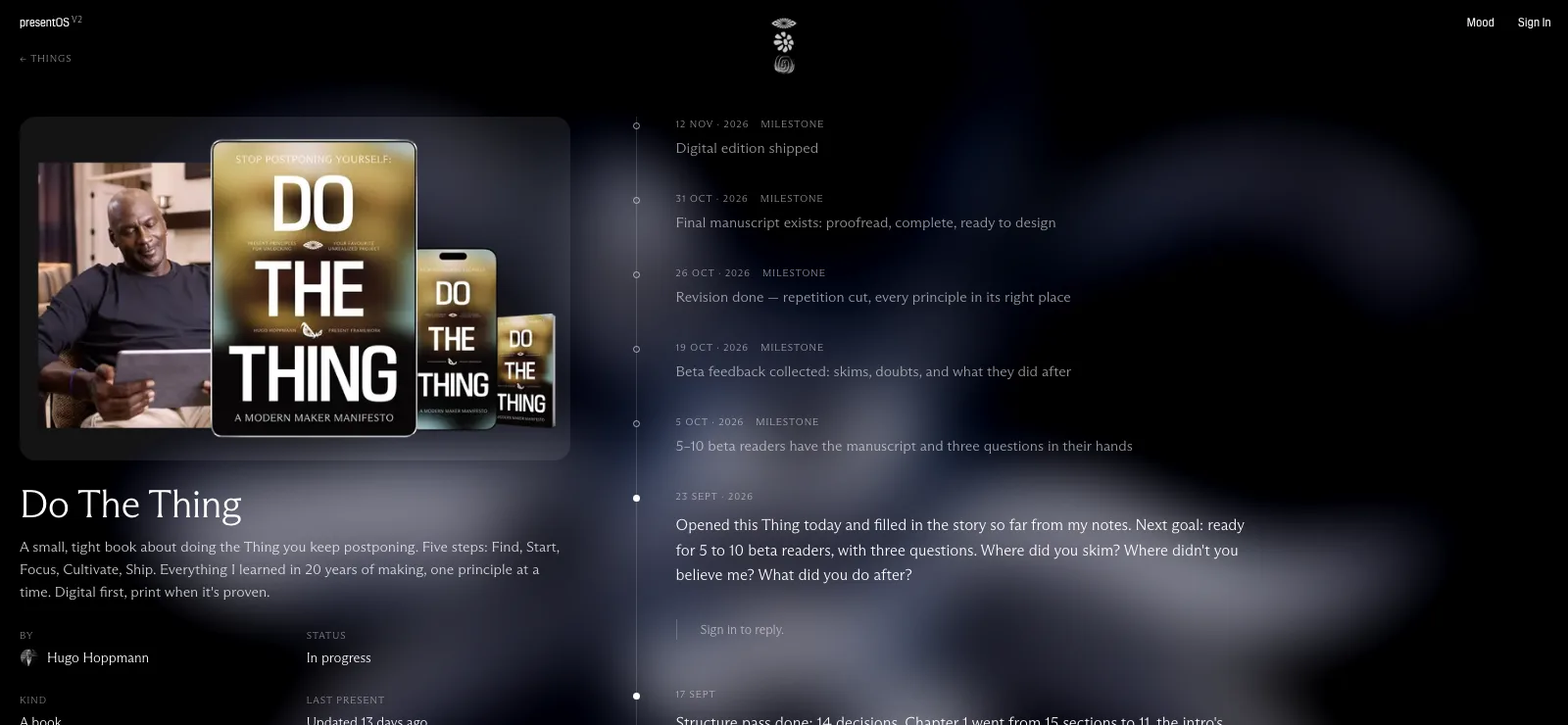
Each Thing now leads with its cover, or a particle field of its own, and shows its status and one line on what it is. Its page sets what the Thing is beside what happened: dated entries with bold, lists, links and a video, which others can meet with one of six reactions, shown as faces and never as a count. The Centering also offers, once, to make the Thing you named a Thing in progress.
The app is rebuilt from the ground up: Start asks for your Thing and the smallest step, Flow is where you do it, and the Library, Present Space, Things in progress and Sensei sit around it. A new download page picks the right version for iPhone, iPad, Mac or the web.
The Present People Questionnaire from the printed magazine now lives on member pages: forty questions, asked one at a time, with the rest open underneath. Answering and showing are separate, so you choose which answers others see and the order they appear in.
Name something you are making and it gets its own page, where you post updates as you go. Others can support it with their face and reply to each update. A Things tab in Present Space lists every public Thing, newest update first, and anyone can read them without an account.
If you have asked your iPhone or iPad for larger text, articles, book summaries and Sensei's answers now grow with it, up to a limit that keeps the pages whole. At the standard size nothing changes.
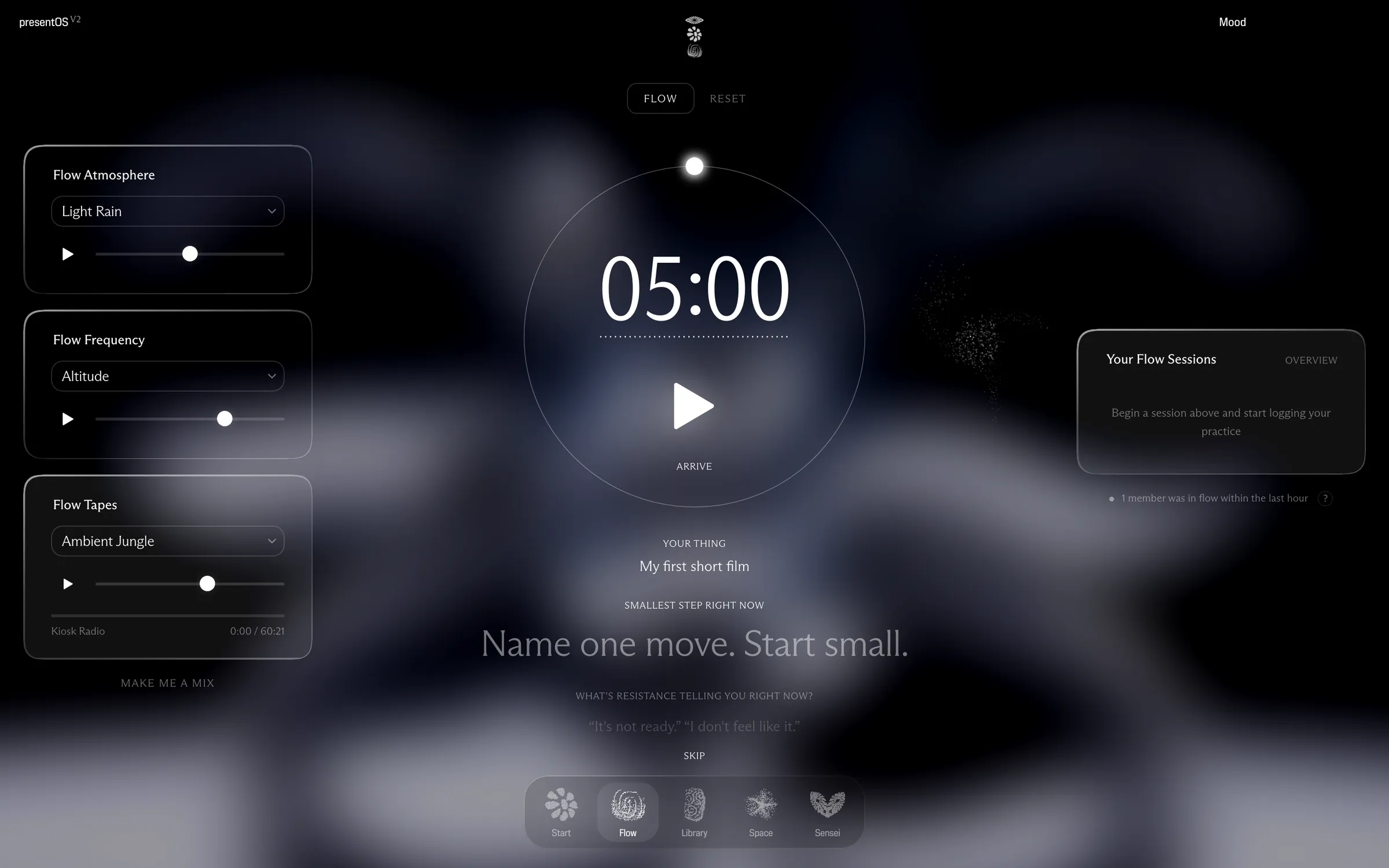
Under the clock, Flow now shows your Thing and today's smallest step in Start's own words, and you can change them right there. You set the time by tapping the digits, with 1, 5, 10, 25 and 60 minutes on offer, and your Thing grows an organism that keeps every minute you give it. A small question mark explains the timer and the sounds.
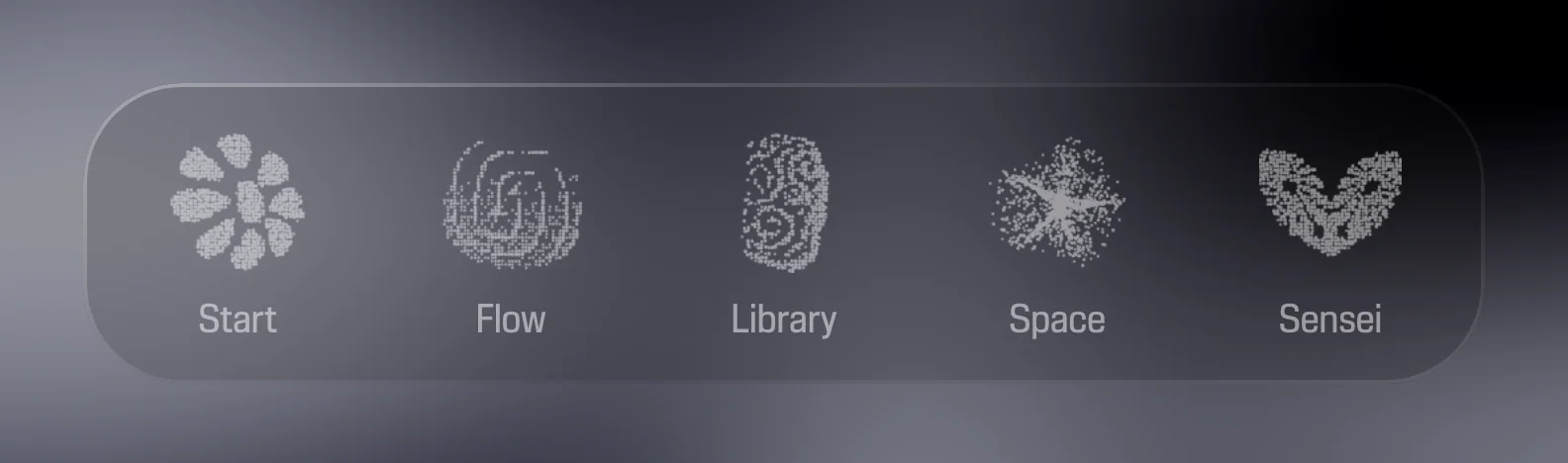
The five icons in the bottom bar are now made of the same dots as the rest of the app, and choosing a tab gathers its dots into place. On a phone the bar floats as a pane of smoked glass.
Ask Sensei about presentOS and it now describes the app as it is, its five tabs and where breathing lives, instead of sections that no longer exist. Opened from more pages, it starts with questions about the page you are on, and the Sensei card on Start opens a fresh conversation.
On a phone, Present Space now opens as a full sheet from the bottom of the screen, and you pull its handle down to close it. Nothing from the page behind shows through while it is open.
The Vault gains nine book summaries: The Power of Now, Deep Work, Make Something Wonderful, Flow, Show Your Work!, The Practice, Letters to a Young Poet, Wintering and How to Do Nothing. Each says why the book matters, what to take from it, and one thing to do about it.
The Library's filters now speak the same needs as the How do you feel? grid on Start, like Can't start or Running empty, across all three shelves. Pick one and a line from the Wisdom Base answers it, and every card can be bookmarked again.
The Wisdom Base no longer asks how you feel a second time: you land straight on the quotes, with search, the Oracle and Surprise me in one row and the needs and themes beneath. Picking a need still opens its lines one at a time.
As you name your Thing on Start, the field completes from Things you have named before. When new words look like an earlier Thing, it asks whether it is the same one, so a renamed project keeps its history instead of starting over.
The mood picker now reads Day, Night, Sky, Haze and Velvet instead of numbers, so you can say which one you are in. Whichever mood you had picked stays as it was.
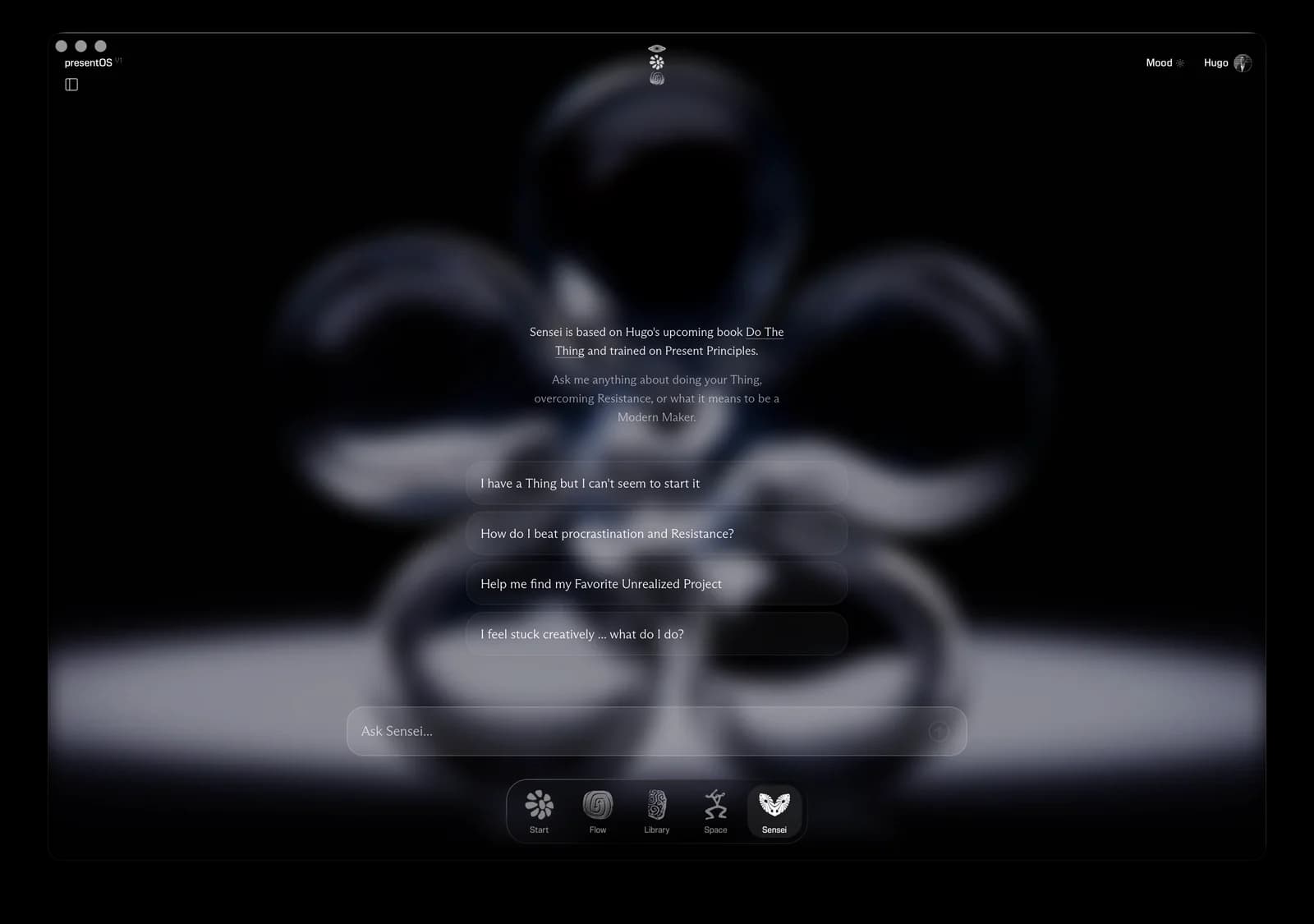
The chat drops its grey bubbles: Sensei's answers rest on one soft panel, your questions stand as plain type, and a slow breathing dot keeps you company while an answer arrives. The floating Sensei button is gone, and the Sensei tab opens the conversation right where you are, on any screen.
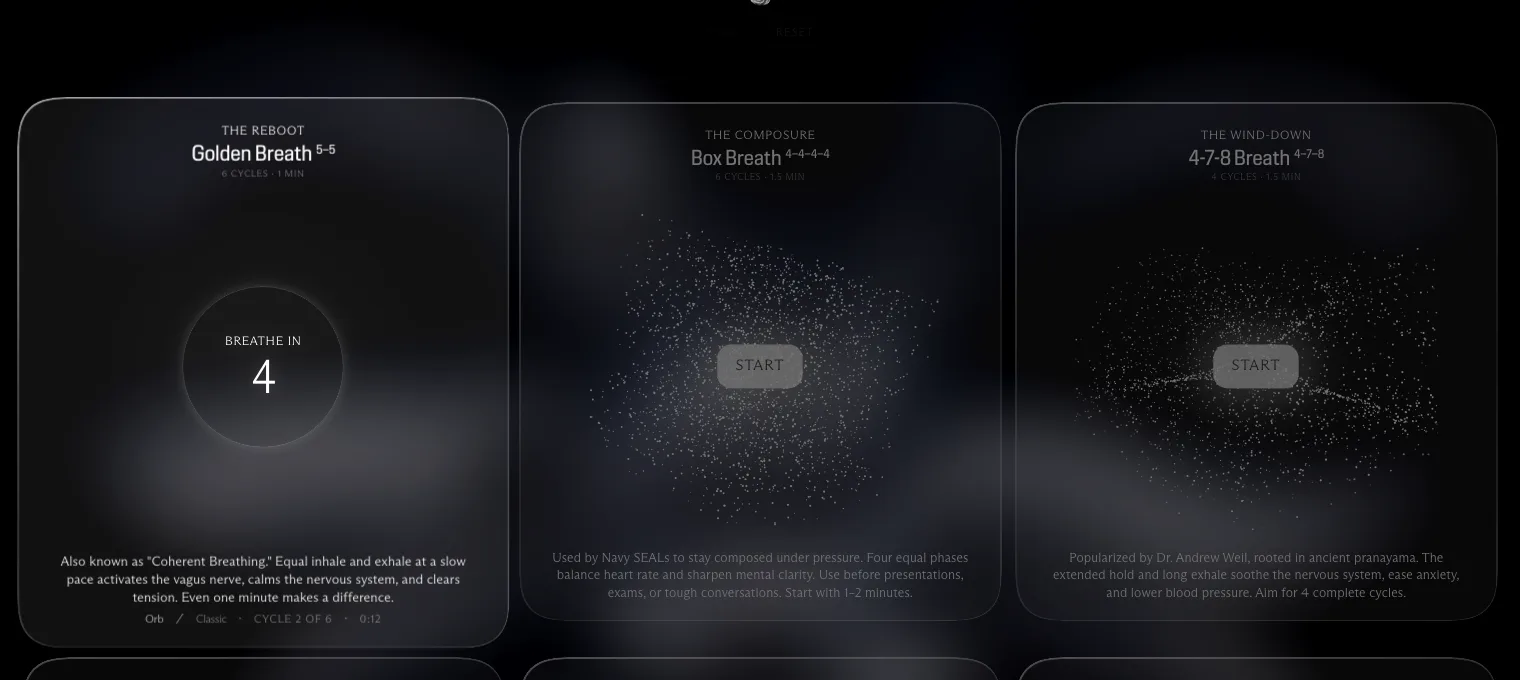
Each breathing exercise now runs for the number of cycles it describes, shows Cycle 2 of 4 as it goes, and ends on its own. In the quiet afterwards it offers 25 minutes on your Thing, and the page opens without an account, so you can send it to anyone.
Start used to sit on an empty screen while it checked your day. It now opens on the screen you last saw today and confirms it in the background, and on a first visit a quiet mark made of the app's own dots holds the space.
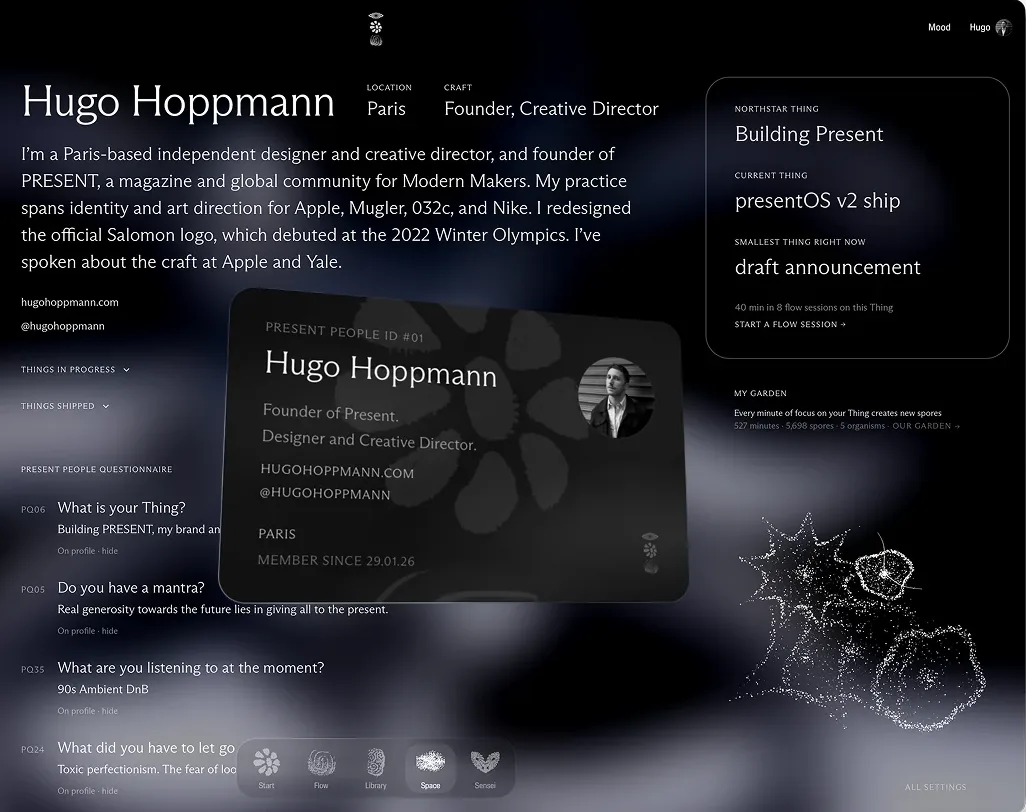
Member pages have a new layout: the portrait with its marks and connections, who someone is and what they have shipped, and what they are working on beside the garden their practice grows. On your own page you edit it in place, a Present People Profile now opens inside the app, and a new page shows every mark and what earns it.
On Flow, Make me a mix starts one of seven hand-picked pairings of an Atmosphere and a Frequency, and shows its name. Tap again for another, or change any sound by hand and the mix is yours.
Every minute you have spent in a Flow session now becomes part of a small creature, and the creatures gather into a garden at the edge of the Start page. Your account page shows the same garden held still, with what it counts written under it.
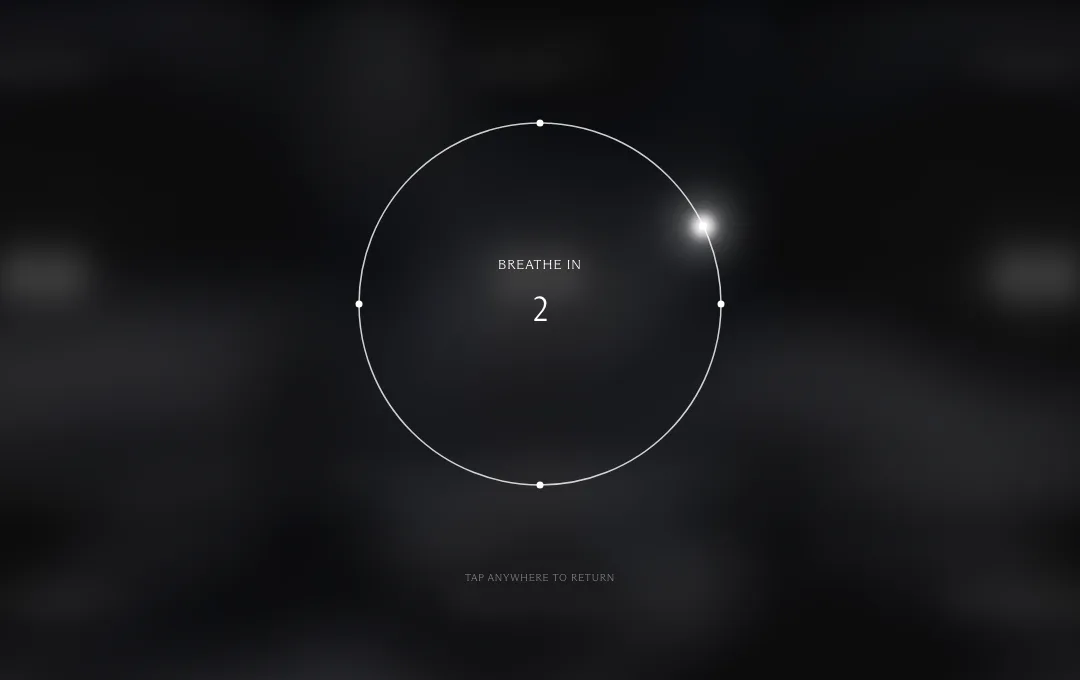
Press and hold the mark at the top of any screen, and the page dims around a breathing circle: box breathing, four counts a side, the same pattern Reset opens on. Nothing is saved or counted. Tap anywhere or press Escape to go back to what you were doing.
The phone and Mac apps never reloaded on their own, so they could show a version of presentOS that was days old. They now check for a newer one when you come back after a minute or more away and reload into it, never while you are typing or a sound is playing.
A book summary now ends on What is actually stopping you right now?, which opens Sensei with the book already in the conversation, and Surprise me takes you to another entry at random. Reading progress is a thin line in the left margin that fills as you reach the last line. Before, it stopped at about four fifths of every piece, and in the iPhone app it did not move at all.
On a phone, tapping Sensei now opens a conversation over the page you are on, and Sensei knows which page that is. The floating Sensei bubble that sat over lists and articles is gone from phones, and the full Sensei page is one tap away from the conversation’s header. The conversation also stays above the keyboard while you type, and tapping a text field no longer zooms the page in.
While a session runs from Start, a short line appears under the clock now and then, like This is the part nobody posts or Small is fine. Stopped is not. When a session ends, on Flow or on Start, the screen names what it was for and blooms into a field of grains that grows with the minutes you just put in, then keeps breathing quietly under the words.
The Library is now three shelves: the Magazine Archive with stories of courageous makers, Present Practice with principles and protocols, and the Inspiration Vault with the books, films, videos and podcasts we recommend. The bar at the top filters all three by theme, and each shelf has its own row of formats.
Start now keeps every Thing you name, and your account page lists them with what happened while you carried each one: sessions, minutes and days. Sessions run from the clock on Start count too; until now they left no trace in your history.
While you browse the Library, the Wisdom Base, Space or a need package, a quiet pill above the bottom bar carries your Thing, one tap back to Start. After twenty minutes of wandering, one question comes up, Are you unstuck?, with a way back to your Thing, a short session, a real break, or simply more exploring. It asks once per visit and counts nothing.
The Wisdom Base has a new way in, the Oracle: hold the circle for one full breath and a single line appears, word by word, while letting go early leaves it quiet. Author pages now open with a portrait where a freely licensed one exists, a short description and the author's strongest line, with a monogram where there is no photograph.
When what you are stuck on matches a book PRESENT has read, Sensei now names that one book, says why it fits you right now, and points you to its summary and the action it ends on. The same books are on The Maker’s Reading List, a public page with one line on when to read each, followed by the essays we recommend.
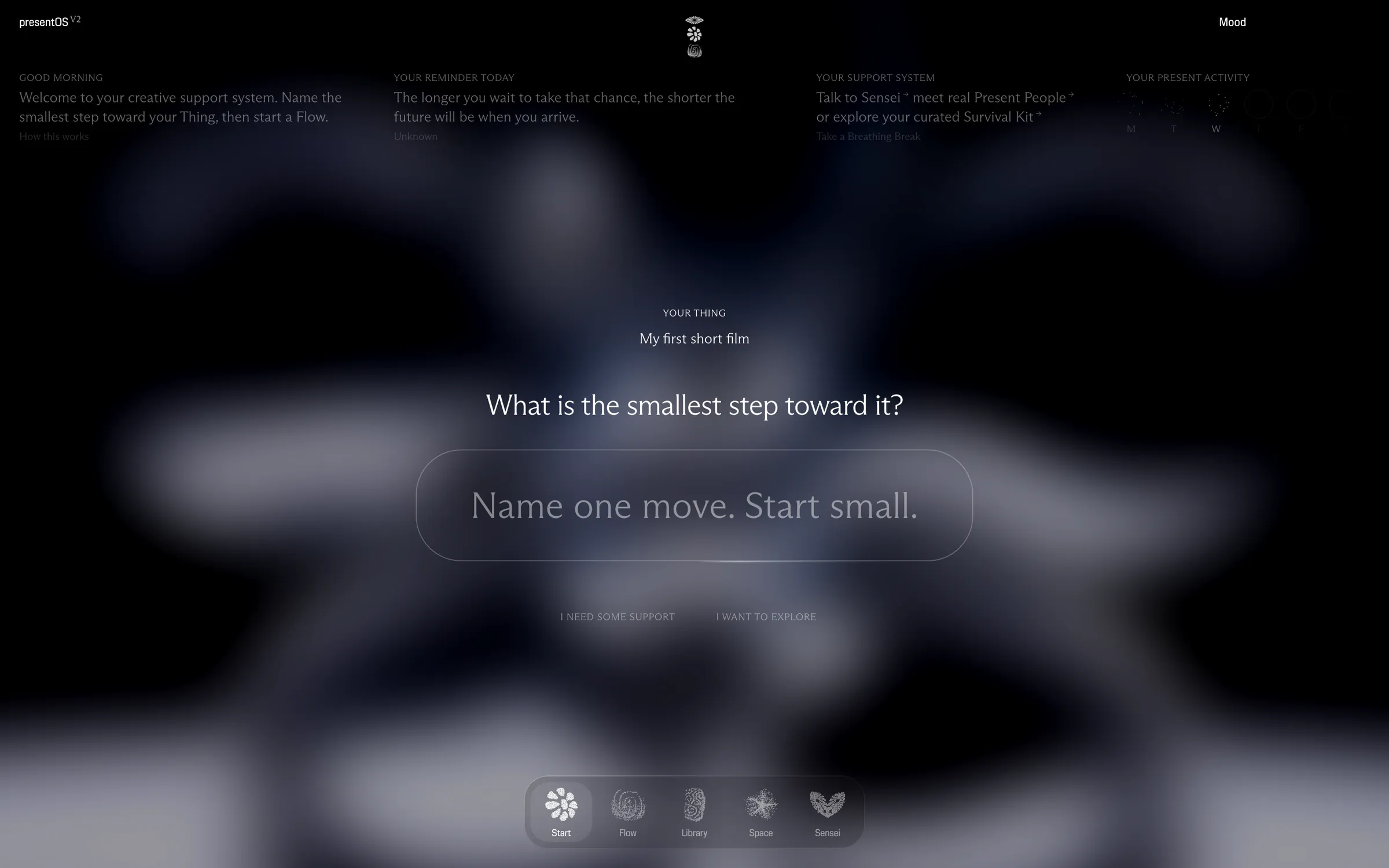
Start now asks one question at a time: what your Thing is, once, and then each day the smallest next action you can take, with Start Flow right under your answer. Name it and the box turns into plain type, so naming the step and starting happen on one screen. If you cannot name one yet, a short package for how you feel is a tap away. Breathing, until now a tab on the Flow page, moves to a page of its own.
The packages behind How do you feel? used to offer the same book and video on every visit. Books and videos now rotate from day to day, most packages carry a piece from the printed magazine, and every pick is signed with the moment it was chosen for.
The Space tab now opens Present People, the network of everyone around PRESENT, with Community, Events and the Board along the top. It is open to everyone with an account, and on a phone it opens as a grid you can read. You can also choose to show your Thing on your node; it stays private until you switch it on.
When the phone locked or the app went to the background, the countdown froze while the session kept going, so the clock fell behind. It now keeps to the real clock, on Flow and on Start. On a phone you can also drag the timer’s dot to set the time; the page used to take the gesture for a scroll.
In the iPhone app, a link that leads out of presentOS now opens once you confirm it. Since early June the tap had done nothing.
On an iPhone, opening presentOS from a link in Instagram, in your email or in a newsletter app showed no navigation and sign-in buttons that went nowhere. Both work now. In the phone apps, a short drop in the connection no longer reloads the page, so a running session or a half-written message to Sensei stays where it was.
Your account page has a Notifications card: turn off the weekly reminder, weekly wisdom, quotes you saved coming back to you, or reminders of community calls, and messages of that kind stop reaching you. Everything stays on until you change it.
Pick how you feel and the Wisdom Base answers with matching quotes, one at a time, moved on with the arrow keys or a swipe. Every quote and every author now has a page of its own, and a shared quote arrives as the quote itself, not a bare link.
When a Present Principle is published in the newsletter, it now appears in the Library on its own, in full, usually within a day.
Recaps of Consistency Club sessions now open inside presentOS instead of on the community site, with the Library's reading tools, including listening and highlights. On the Mac, links that lead out of the app now open in your browser; before, the button did nothing.
PRESENT's collection of quotes now has a home in the app: search it, filter it by theme or by how you feel, and save the lines that stay with you.
When you ask Sensei something, it now looks through PRESENT's own writing for what fits, from Library articles, the Do The Thing book and the Present Principles, and answers with that in mind.
In the iPhone app, sounds now keep playing when the screen locks or you switch apps, and they come back after a call or Siri. It arrives with version 1.0.1 of the app.
Short ambient tracks used to restart with an audible jump. Now they fade into themselves and play as one continuous sound, also after you pause and resume.
Signing in with Google no longer gets stuck on a passkey or Bluetooth prompt: Google now asks which account to use. Its consent screen also shows PRESENT's own address instead of an unfamiliar one.
The session log can now be narrowed to Deep Flow, breathwork or a single exercise, and the Flow timer offers a one-minute session.
presentOS for Mac now also lives in your menu bar, with Start Flow, Sensei, the Library and your account one click away. The download is signed and checked by Apple, so it opens without a security warning, and signing in with Google works inside it.
Highlights you make while reading are now saved to your account instead of one device, and your account page gathers them by article. From there you can also export your highlights, saved quotes, saved articles and sessions as Markdown, CSV or JSON.
Relaxing Breath, Breath of Fire and the Wim Hof Method join the breathing exercises, and every exercise now has a particle figure that gathers into shape on its card. A 3-2-1 count lets you settle before an exercise begins, the count inside the circle runs down instead of up, and the Wim Hof rounds show which breath you are on.
Sensei now opens in a panel over the page you're on, and knows which page that is, so you can ask about what is in front of you. What you talk about there is kept in your Sensei history.
Sign Out and Delete Account sit right under your profile on the Account page. Deleting asks you to type DELETE first, then removes your account and all its data for good.
Opening Flow on an iPhone no longer switches your AirPods over to it. The sounds are only made ready once you press play.
On iPhone, each sound's slider in Flow now really sets its volume; before, iOS played every sound at full whatever the slider said. The sliders are larger too, so they are easier to catch with a thumb.
Signing in no longer asks for a password. Enter your email and type in the code that arrives; on the web, the link in the same email signs you in too. If something goes wrong, the message says what happened in plain words.
Choosing Google in the iPhone app opens a sign-in sheet over the app and brings you straight back, signed in.
Principles and practices in the Library now open on a page of their own, set like a magazine article, with the full text to read.
Start a sound in Flow and it keeps playing while you read in the Library or talk to Sensei. Come back to Flow and it still shows what is playing.
Flow has a new set of sounds: rain, ocean, river and wind on one side, five tones to lay under them on the other. New among them are Soothing Rain, Forest River, Windy Night, Fall Into Being and Soft Dissolve.
Your past conversations with Sensei now live in the Sensei Dojo, a panel that slides in from the left and groups them into Today, This Week, This Month and Earlier. Pick one and the panel closes, so you are straight back in it. Sensei's opening screen also says what it draws on: the upcoming book Do The Thing and the Present Principles.
The tabs at the bottom of the screen get new icons: a flower for Start, a spiral for Flow, a carved stone for Library, a dancer for Space and an owl for Sensei.
Each breathing exercise can now follow a glowing orb that grows as you breathe in and shrinks as you breathe out, or the classic circle, switched at the foot of the card. While an exercise runs, the rest of the page dims, and with the orb, phones that allow it give a gentle vibration through each inhale.
Select a passage in an article to highlight it or attach a note. Tap a highlight to change its note or remove it, and find them all under Your Highlights at the end of the article, in the order they appear.
Articles open with the title beside a square image and a larger intro, and Back and Save now sit under the presentOS logo at the top. On a phone the image comes first and the type is sized for the smaller screen. At the end, three more stories follow, from the same category first.
Breathwork is now called Reset. Filter its exercises by what you need right now: calm, energy, focus or sleep.
Every article now shows how many minutes it takes to read, and a thin line tracks how far through it you are. Leave an article halfway and, when you come back, it offers to pick up where you left off.
Tap Listen beside the reading time and the article is read aloud, with a small player at the bottom of the screen. Choose the voice and a speed of up to 2x. The paragraph being read is softly marked, and the page scrolls along with it.
Library articles now sit on a darker veil, so the words stand clear of whatever mood you have chosen. Titles are set larger and narrower, the author and date in spaced capitals, and pull quotes run the full width of the page. Articles can also carry section headings, rows of images and dividers.
On a phone, your member card now tilts as you move it, with a rim of light and a sheen that follow the angle. On iPhone, tap the card once and allow motion when asked. Where motion is not available, drag a finger across the card to tilt it.
The Flow timer now offers 60 minutes, next to 5, 10 and 25.
One of the moods is now a sky of slowly drifting clouds, moving behind the app instead of a still photo. Pick it from the mood menu at the top of the screen.
Quotes you save now live in your account instead of in one browser, so they are there wherever you sign in. Quotes you saved earlier in the browser are carried over.
Breathing exercises are now saved alongside your Flow sessions, so their minutes count in your stats and show up in your session history, each marked with the exercise and the number of cycles.
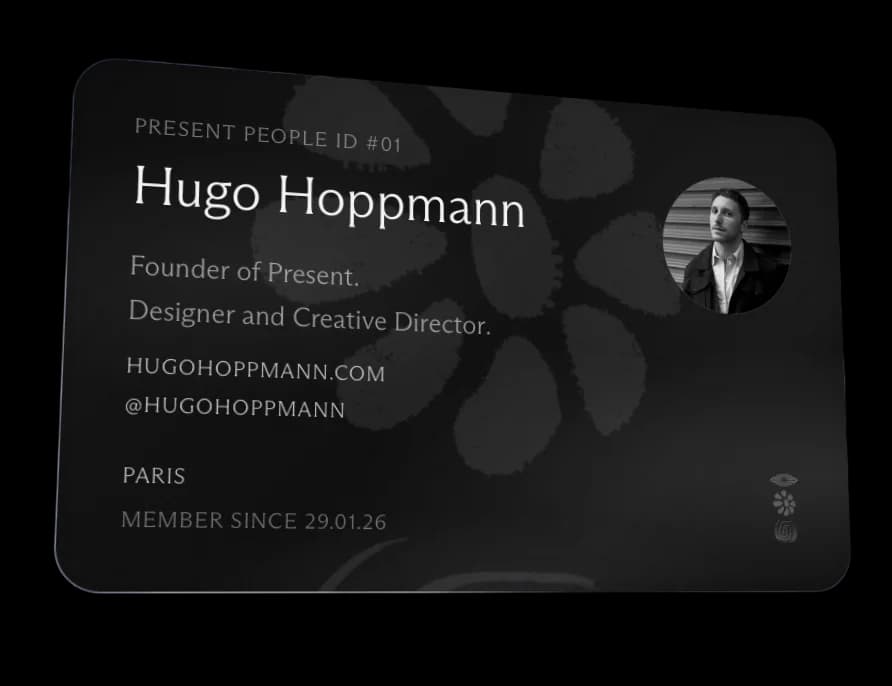
Your member card now leads with your name, set large under your Present People ID, followed by what you do, a short bio, your website and Instagram, and your photo in black and white. Downloading the card gives you an image much closer to the one on screen.
Space now opens on the next Consistency Club session, with a way to join, followed by recaps of past sessions. Below them sit the community's spaces, its newest members and its newest posts.
When Sensei is overloaded, it now tries again by itself before giving up. If it still cannot answer, it tells you so plainly instead of showing a raw error.
The Inspiration Stream on Start now plays a playlist of short films and interviews with makers, right there on the card. Use the arrows to move through it.
Before a Deep Flow session, you can now name the one Thing you want to be present with, or leave it as Just a Breathing Break. The session goes into your Sessions Log under that name, and once you are signed in, the log stays with your account rather than on one device.
Your conversations with Sensei are now kept, each named after your first message. Open the sidebar to go back to an earlier one and carry on, or start a new one.
The Library now holds two shelves: stories from the PRESENT magazine, and the principles, protocols and book summaries that had their own Tools tab. Filter by kind or theme, search across both, and save a story straight from the list to find it again under Saved Items.
On a phone, downloading your card from your account page now opens the share sheet, so you can save it to your photos. Where sharing is not offered, the image opens on its own so you can press and hold to save it.
· Improved · App, Sensei, Space
The tab bar now reads Start, Flow, Library, Space and Sensei, so Sensei is always one tap away. Community is now called Space, and what lived under Tools has moved into the Library.
· New · App, Start, Flow, Library, Sensei, Space
presentOS arrives in its first full version. Start with a daily quote, Flow with focus timers, six guided breathing exercises and ambient sound, the Library with long-form stories from the PRESENT magazine, and Sensei, an AI coach that knows the ideas PRESENT is built on. Five moods change the backdrop, and your account keeps what you saved and the time you put in.