For everyone in PRESENT Space on Circle
Present Community moves to presentOS.
Since 2021 PRESENT’s Community Space has lived on the Circle Platform. Now all of it moves to presentOS natively: the people, the conversations, the projects and the club, right next to your Thing and your Flow sessions. Moving takes a few minutes, it’s free, and it starts with the email address you use on Circle.
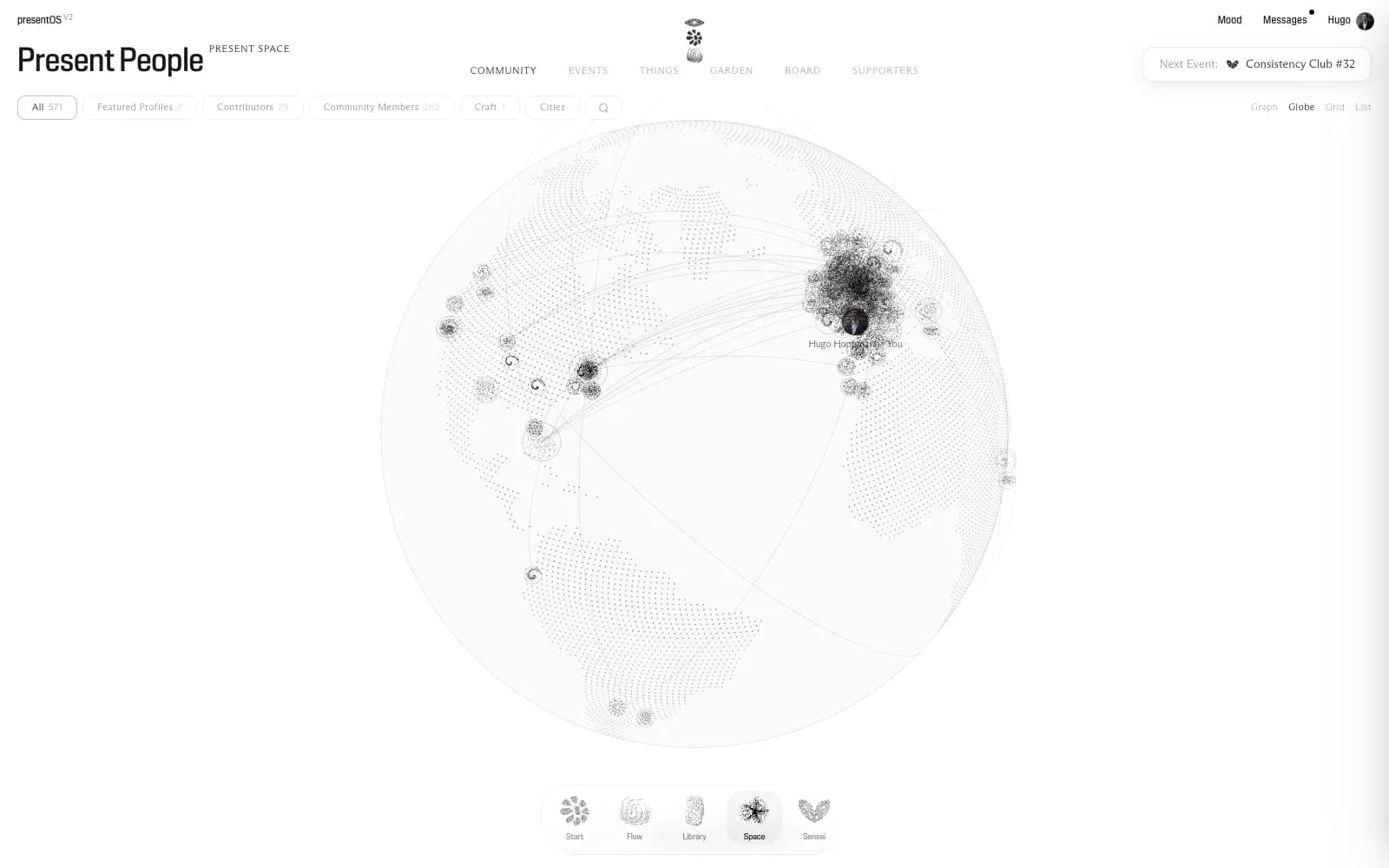
- Everyone from Circle is already here.
- Your node, once you claim it.
What’s happening
The whole community moves, one piece at a time. The Consistency Club Calls go first: from session #32 on Thursday 22 October, they take place on Google Meet, every other Thursday at 17:00 Paris time, for sixty minutes, as before. You say you’re coming in presentOS, and the link to the call comes with your yes.
Everything else is already there and waiting for you: your profile, the people, Messages, Things, and every recap since the first session.
Circle stays open while we move. There is no date for it to close, and whatever comes next, you’ll hear about it well ahead.
What moves where
On Circle
In presentOS
Your profile
Your node in Present People, filled in from your Circle profile
The member directory
Present Space: everyone, as a graph, a globe, a grid or a list
Direct messages
Messages, one to one or in a group
Posts about your project
Your Thing: the project in the open, every update dated, replies under each one
Club events and the live room
The club’s page, “I’m coming”, and the call on Google Meet
Recaps
Events in Present Space, every recap searchable
Why move
Over the past year Circle grew quiet. It became mostly the room the club meets in and the place the recaps arrive from, while the real conversation happened in the calls.
And presentOS kept growing out of those calls. The Return, the nudge that sends you back to your work after twenty minutes of reading, came from session #28. The Project Loop, the show date and the milestones that hold a Thing to its promise, came from #29. Both were in the app within days.
So the community moves to where the work is. In presentOS the people you meet are one tap away from what they’re making, and what you’re making is one tap away from the people who can help.
How to move
Six steps. The first two take a few minutes; the rest is there when you want it.
Step 1
Sign in with your Circle email
Use the address of your Circle account: that’s how presentOS finds your profile. An account is free. You get a six-digit code by email, or you continue with Google or Apple on that same address.
With Apple, choose Share My Email. Hide My Email makes up a forwarding address, and that one won’t match your Circle profile.
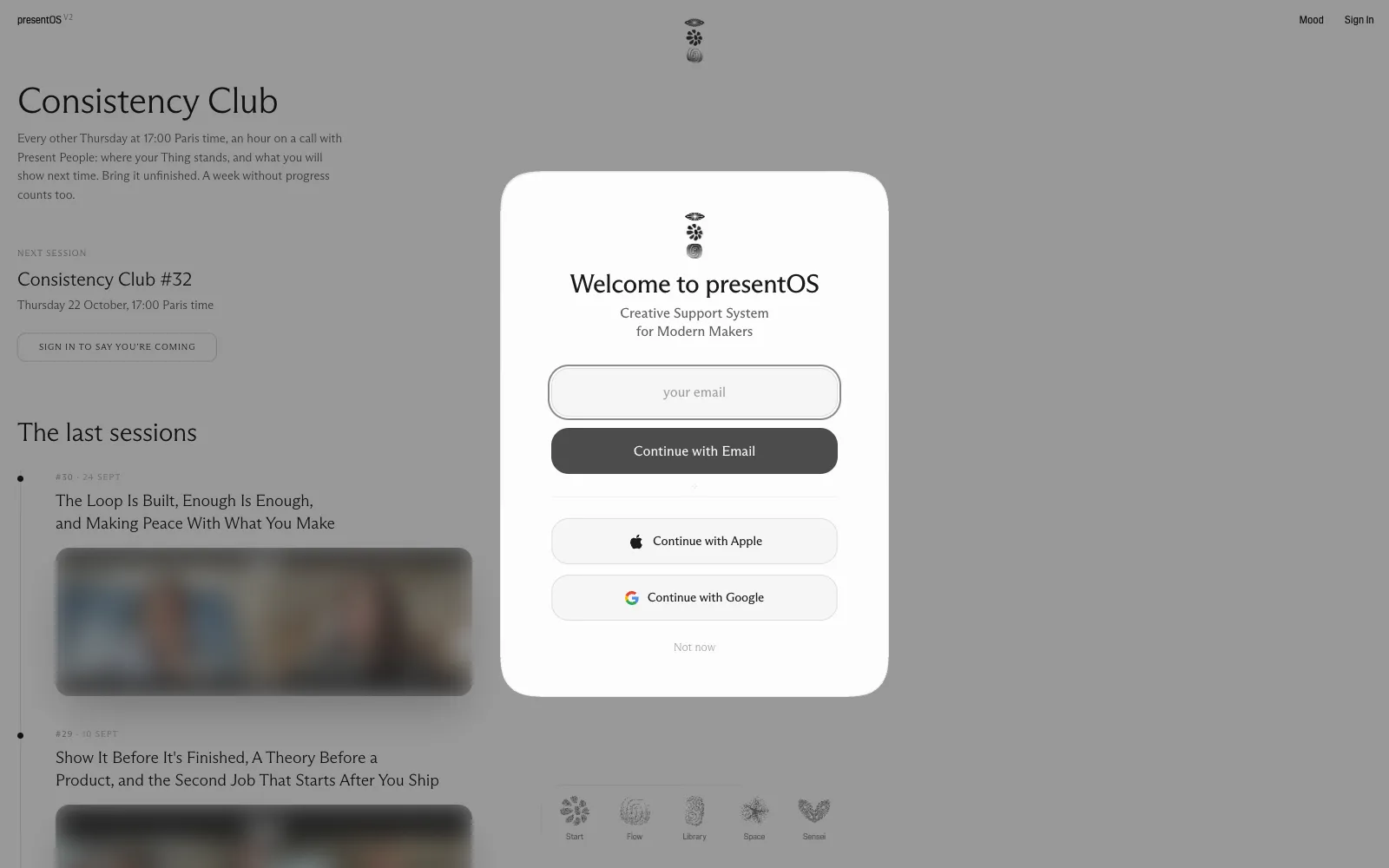
- The address you use on Circle.
- With Apple: Share My Email.
Step 2
Claim your node
Your node is your card in Present People: your name, portrait, what you do, your city and your links. You find Claim your node on your account page, and on your own dot in Present Space. The form comes filled in from your Circle profile: change what you like, then claim it.
If somebody with your name is already in the network, from a magazine credit for example, you’re shown that node first. Press That’s me, and Hugo confirms it by hand.
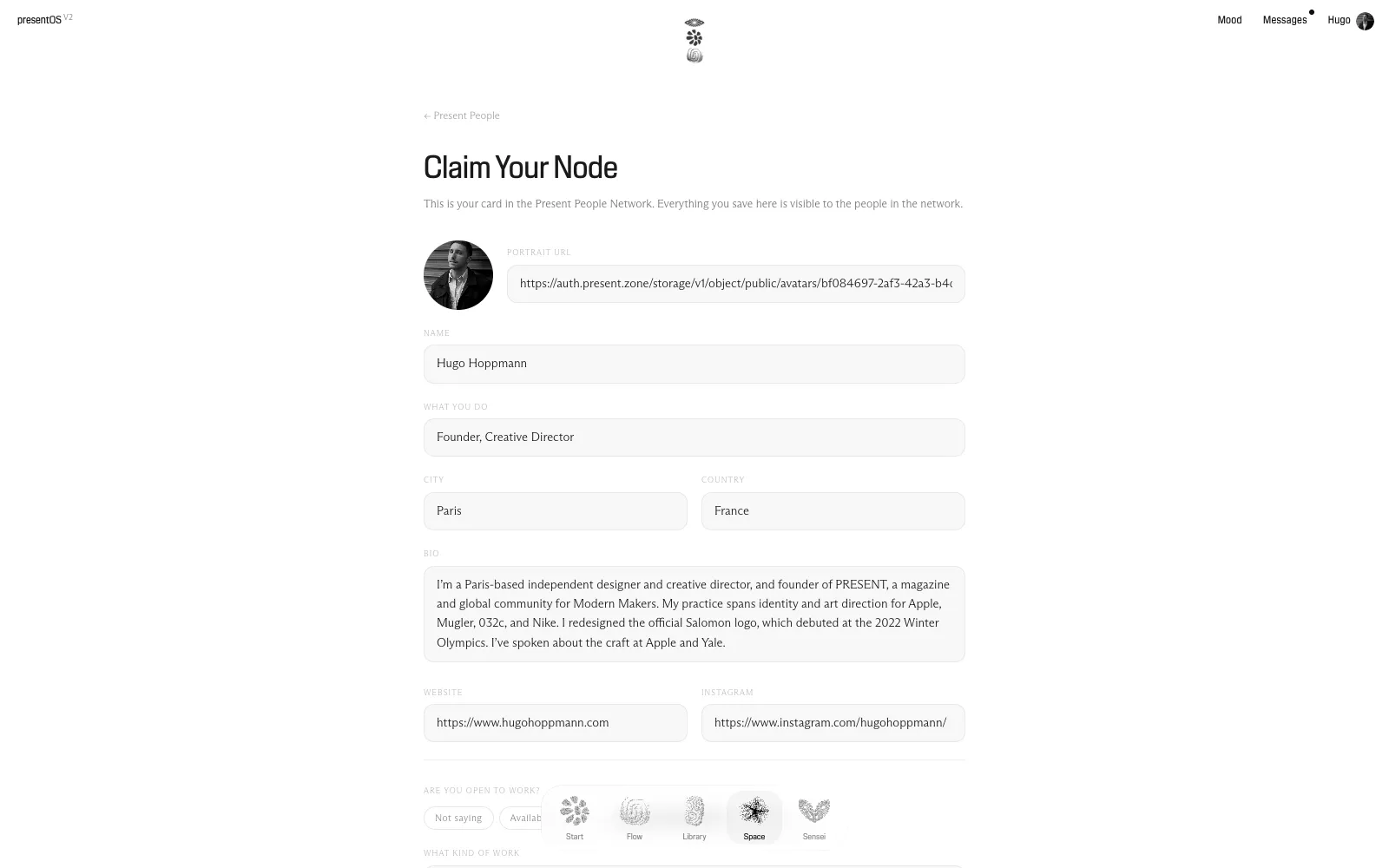
- Filled in from your Circle profile.
- Change anything, any time.
Step 3
Find your people, and write to them
Everyone from Circle is already in Present Space. Open somebody’s node to see what they do and what they’re making, and write to them: Messages in presentOS take the place of Circle’s direct messages, one to one or in a group.
Your Circle messages don’t come along, because Circle has no way to export them. Copy what matters to you while Circle is still open.
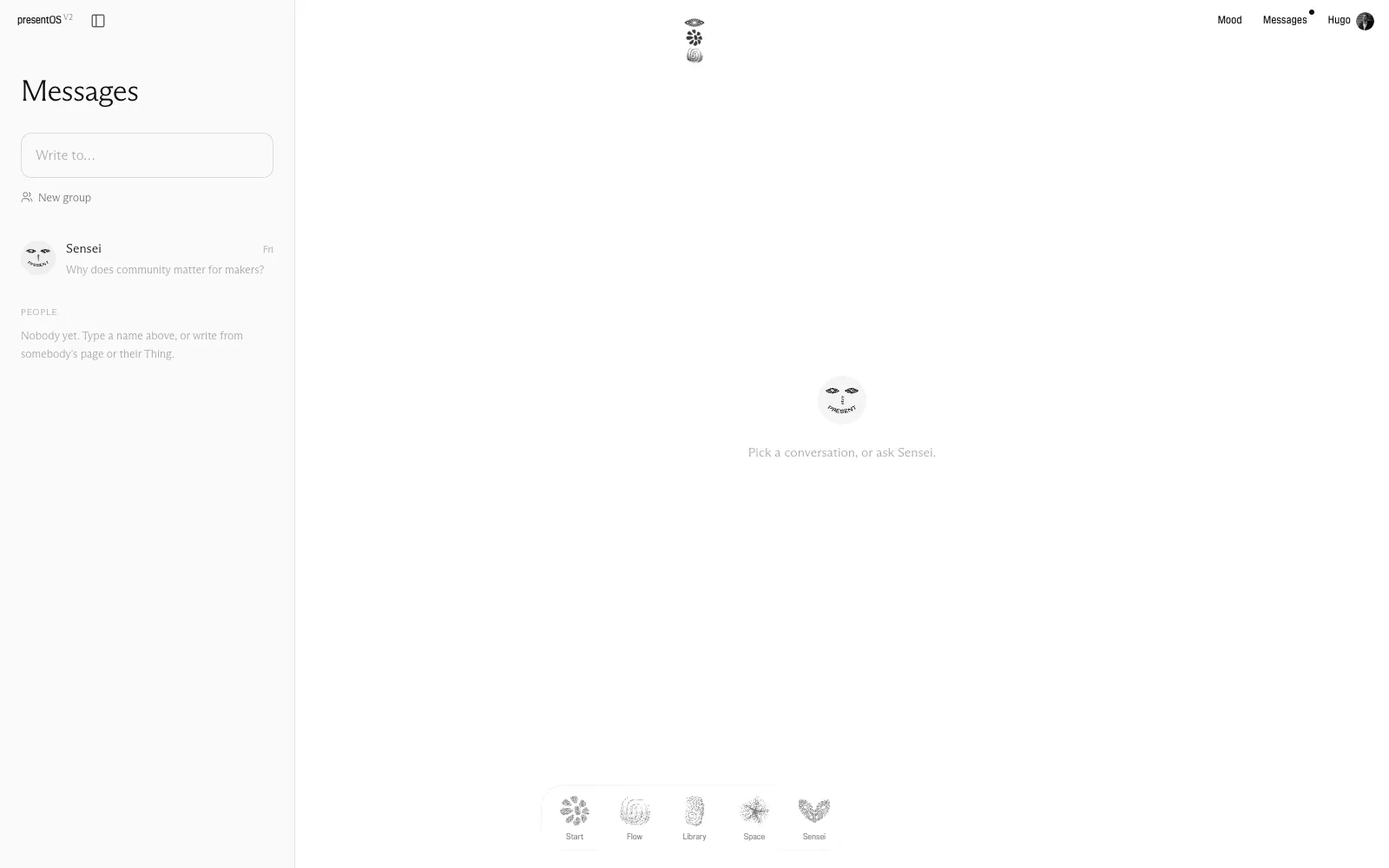
- Write to anyone by name.
- Or start a group.
Step 4
Show your project as a Thing
What you used to post about your project on Circle gets a home of its own: a Thing. It holds the project in the open, every update on one dated line, and the replies of the people who follow it.
If you posted about a project on Circle, it may already be a Thing here, waiting for its owner. Hugo links it to your account by hand: write to him at hugohoppmann@present.zone and say which one is yours.
Things in progress →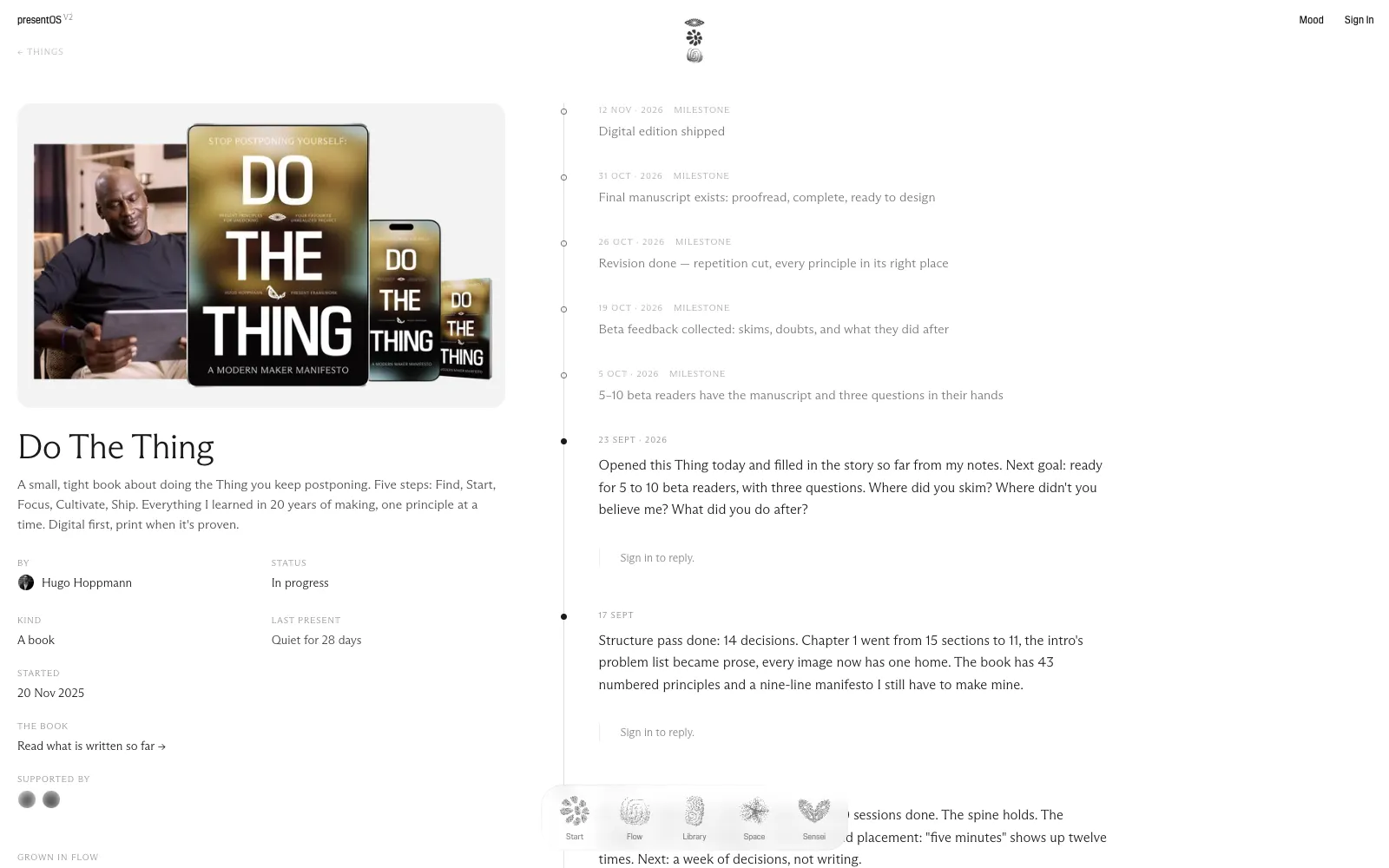
- Every update on one line, dated.
- Members reply under each entry.
Step 5
Join a Community Call
Here is the next session. Press I’m coming: the link to the call comes with your yes, and on the morning of the session, a reminder by email.
The club’s page →Next session
Consistency Club #32
Thursday 22 October, 17:00 Paris time
Step 6
Read the recaps
Every recap since the first club session in May 2025 is in Present Space, under Events. Search them for any word: a theme, a book, a tool somebody mentioned.
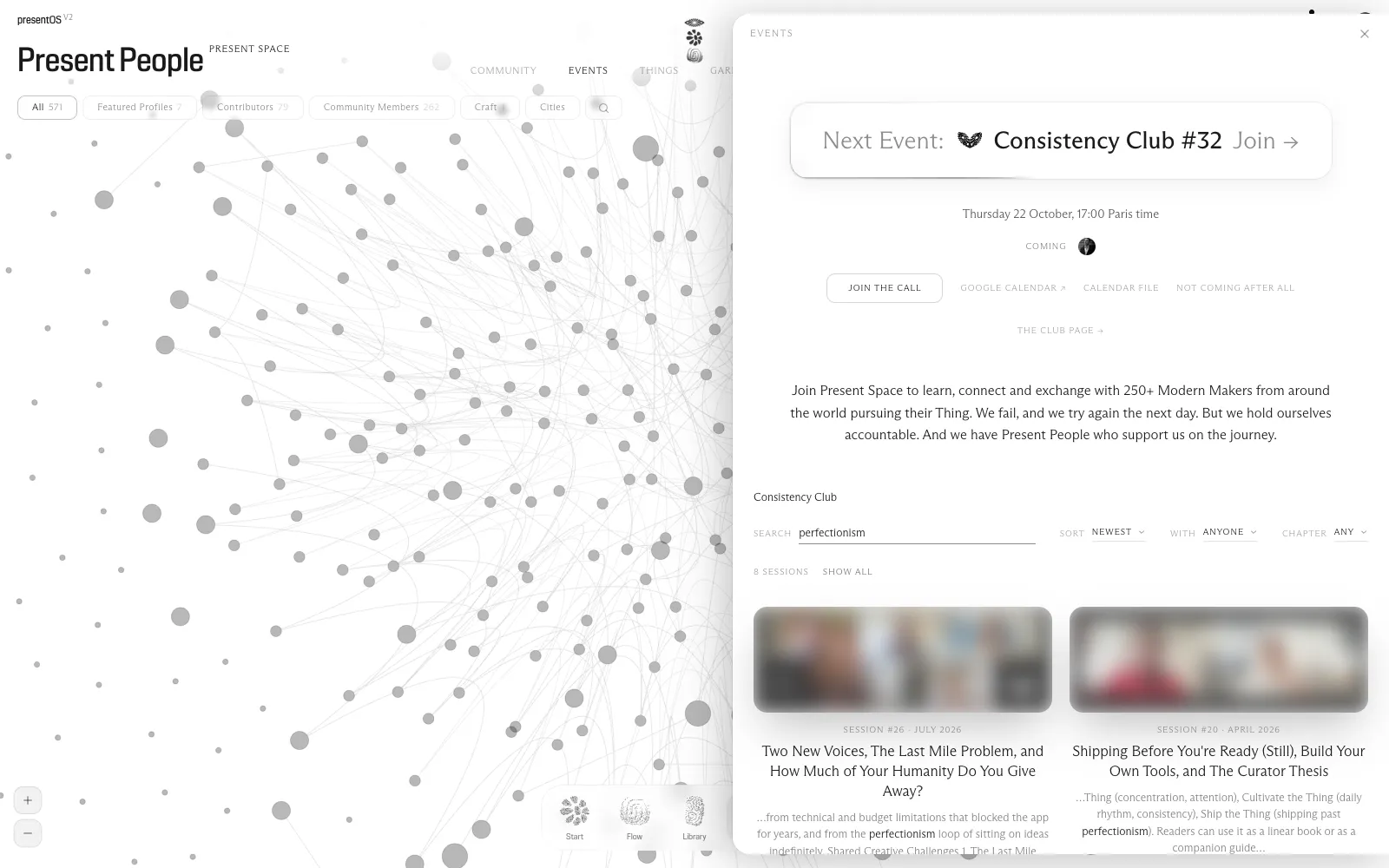
- The next call, with your yes.
- Every recap, searchable by any word.
What from Circle is already here
On 22 September the Circle member list was copied into presentOS, so the community’s people are here from the first day.
Members who are signed in see each Circle member in Present Space as Circle showed them: name, photo, headline, city, bio and links. Nobody outside sees it. The public community page shows only people who claimed their node and chose to be public, and counts Circle members as a number, never by name.
Ten project posts from Circle came over as Things, with their comments, and those anyone can read. If one of them is yours, Hugo links it to your account, or takes it down if you’d rather. Everything else you wrote on Circle stays on Circle.
Once you claim your node, it’s yours: change any of it, and choose whether it’s public or for members only. Rather not be in Present Space at all? Write to Hugo, and your profile comes down.
Questions
- Is Circle closing?
- Not now. It stays open while we move, there is no date, and you’ll hear well ahead of any change.
- Do I need the app?
- No. presentOS runs in your browser at os.present.zone. The app for iPhone is there if you like it.
- I signed in with another address.
- Sign out on your account page and sign in again with the one your Circle account uses. If you already started something under the other one, write to Hugo.
- Something doesn’t work.
- Write to Hugo at hugohoppmann@present.zone. A real person reads it.
See you in Present Space.